Results
The results command family works on existing AgentV run workspaces and index.jsonl manifests. Use it after an eval run to inspect failures, validate manifests, export artifact layouts, or generate a shareable HTML report.
Subcommands
Section titled “Subcommands”| Subcommand | Purpose |
|---|---|
results report | Generate a self-contained static HTML report from an existing run workspace |
results export | Materialize or normalize the artifact workspace structure for a manifest |
results summary | Print aggregate metrics for a run |
results failures | Show only failing cases |
results show | Display case-level rows from a run workspace |
results validate | Validate that a workspace or manifest resolves correctly |
results report
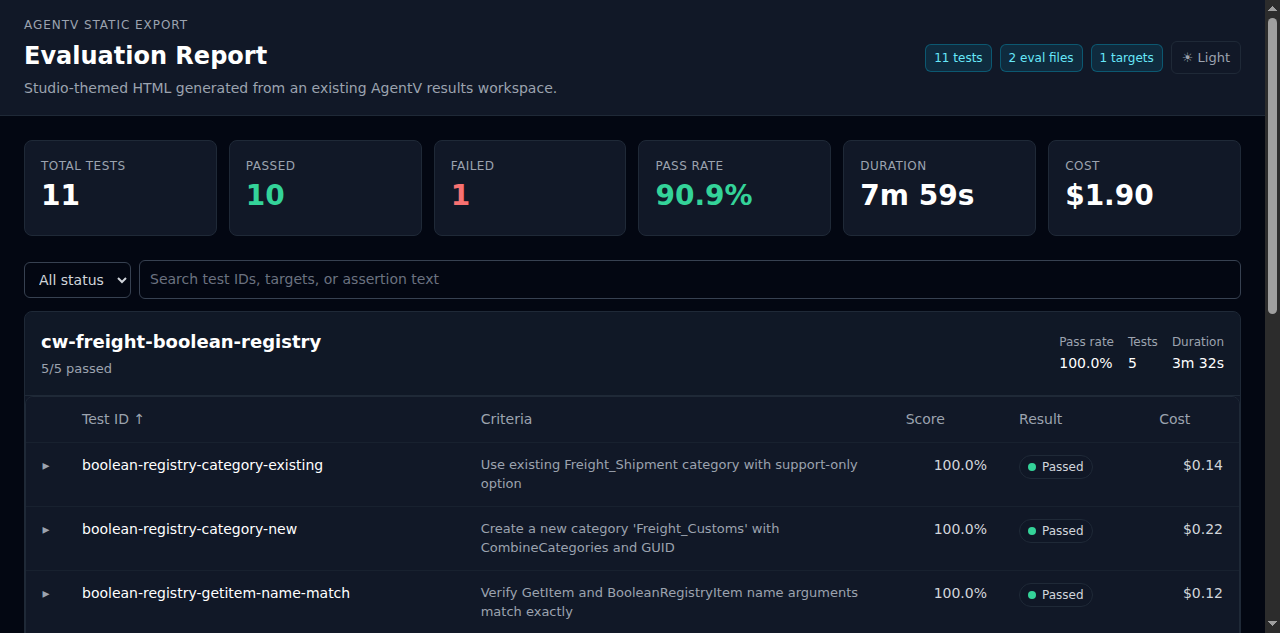
Section titled “results report”The results report command turns an existing run workspace or index.jsonl manifest into a self-contained HTML report for sharing, inspection, and human review.
agentv results report <run-workspace-or-index.jsonl>Examples:
# Generate report.html next to the run manifestagentv results report .agentv/results/runs/2026-03-14T10-32-00_claude
# Use an explicit output pathagentv results report .agentv/results/runs/2026-03-14T10-32-00_claude/index.jsonl \  --out ./reports/human-review.html
What it shows:
- Summary stats — total tests, passed, failed, pass rate, duration, and cost
- Eval file groups — test cases grouped by eval file with pass rate, test count, and duration
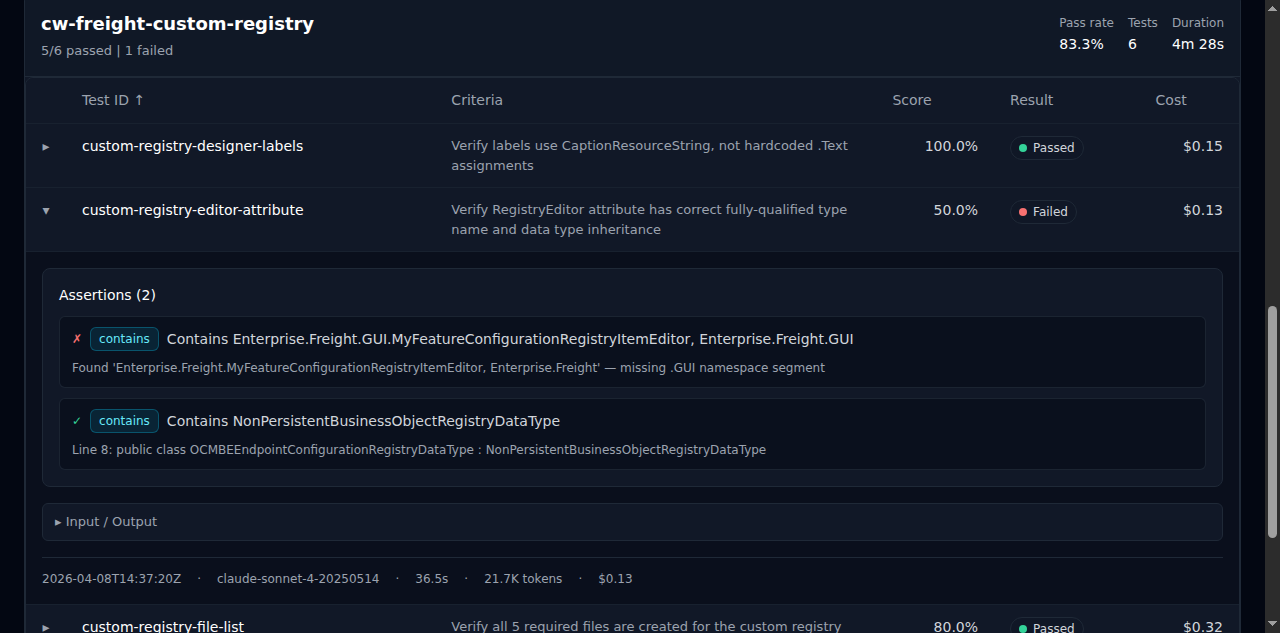
- Expandable details — unified assertions with pass/fail indicators and type badges, collapsible input/output
- Criteria column — shows the test prompt or description inline for quick scanning
| Option | Description |
|---|---|
--out, -o | Output HTML file (defaults to <run-dir>/report.html) |
--dir, -d | Working directory used to resolve the source path |
results export
Section titled “results export”Use results export when you need the artifact workspace layout itself rather than a rendered report.
agentv results export <run-workspace-or-index.jsonl> [--out <dir>]This is useful when a manifest needs to be materialized into a predictable artifact tree for other tooling, review, or archiving.
Inspection helpers
Section titled “Inspection helpers”For lightweight terminal workflows:
agentv results summary .agentv/results/runs/<timestamp>agentv results failures .agentv/results/runs/<timestamp>agentv results show .agentv/results/runs/<timestamp> --test-id my-caseagentv results validate .agentv/results/runs/<timestamp>For a review-centric workflow built around these artifacts, see Human Review Checkpoint.